Every project. One list.
Always the next thing.
I built DoneFast because I couldn't find a task manager that answered one question: what should I work on right now?
Most task managers tell you what's due. DoneFast tells you what's next — one priority order across all your work, always. If you're asking the same question, DoneFast might just be your answer.
No sign-up · Works fully offline · Your data never leaves your devices unless you say so
The things other task apps make you give up
Most tools force a trade: your data for easy sync, or control for convenience. DoneFast refuses it — and adds the one thing no other kanban board has.
One priority order for everything
A Today view that spans every project
Capture by hotkey or voice
Your data, actually yours
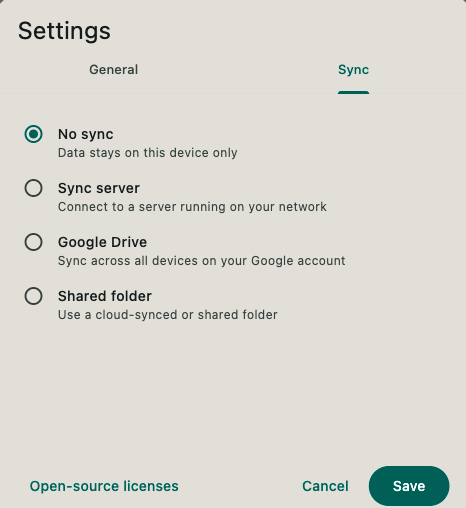
Sync you own — three waysPro
Tags that cut across projects
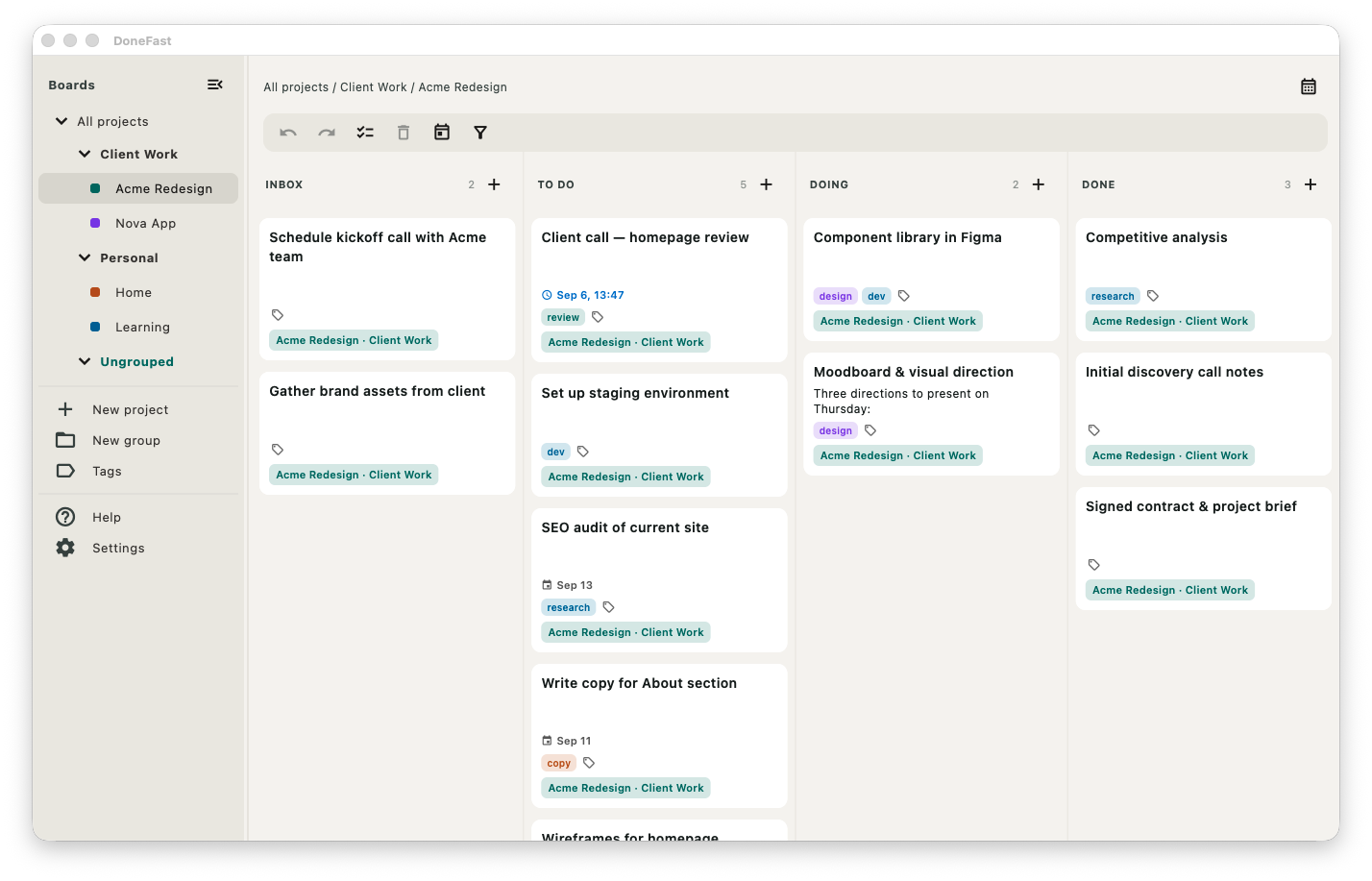
The top of the list really is the next thing
Ten projects means ten separate to-do piles in most apps — and no way to say which single task matters most right now. DoneFast interleaves them into one global order. Drag a card on the All projects board and you're ranking it against every task in every project, not just its own.
- Drag to reorder within or across projects
- Jump a task to the global top or bottom in one move
- Due tasks auto-bump to the top of To do when time runs out
Start every day knowing what matters
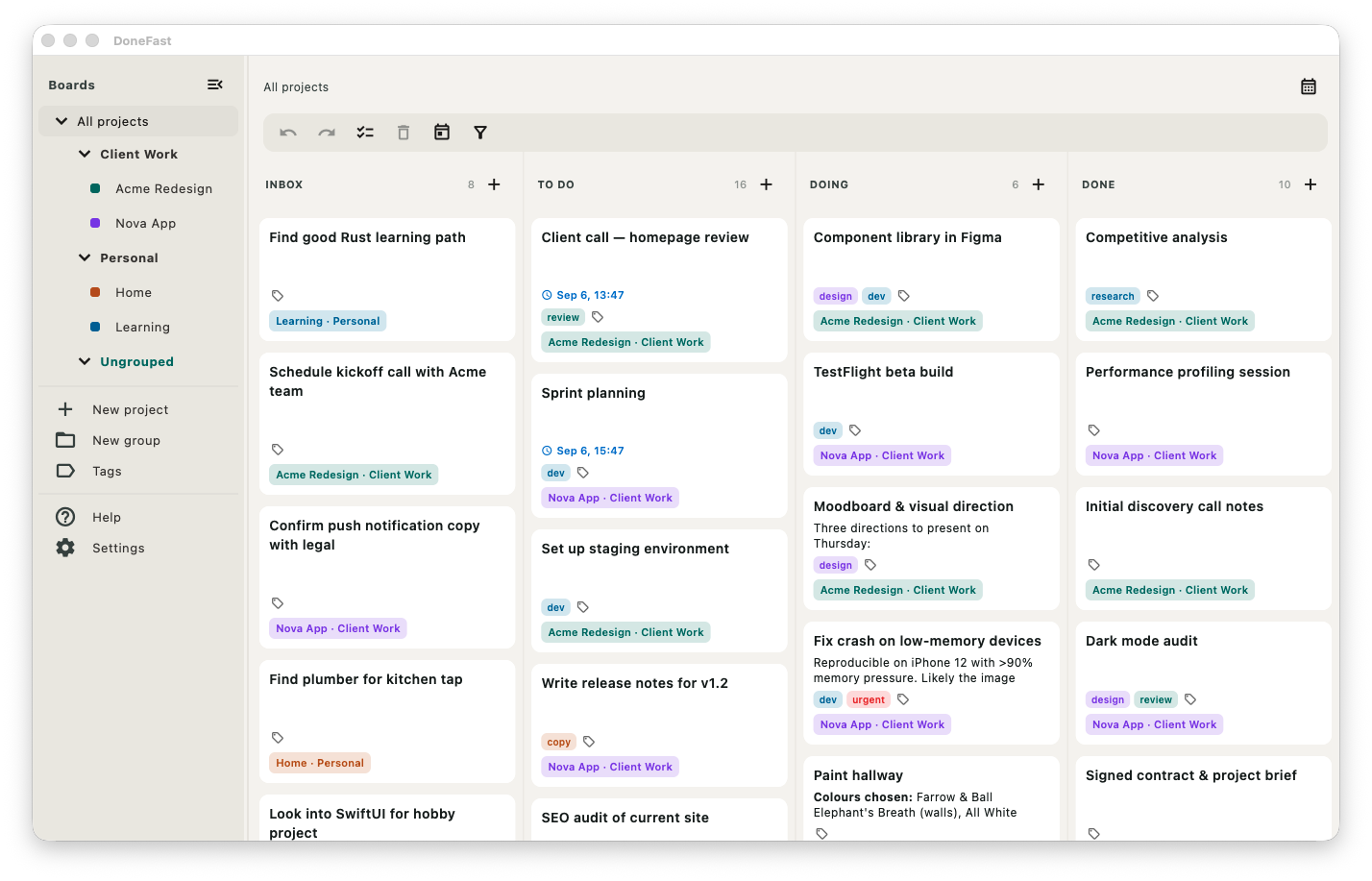
One tap filters your board down to what's actually relevant right now — overdue items you can't miss, everything due or planned for today, and the things you've already finished. It spans every project at once, so nothing hides in a board you forgot to open.
- Overdue, due today, scheduled today — in one place
- Completed-today stays visible, so progress is obvious
- Works across all projects, or narrow it to one
From thought to task in a second — typed or spoken
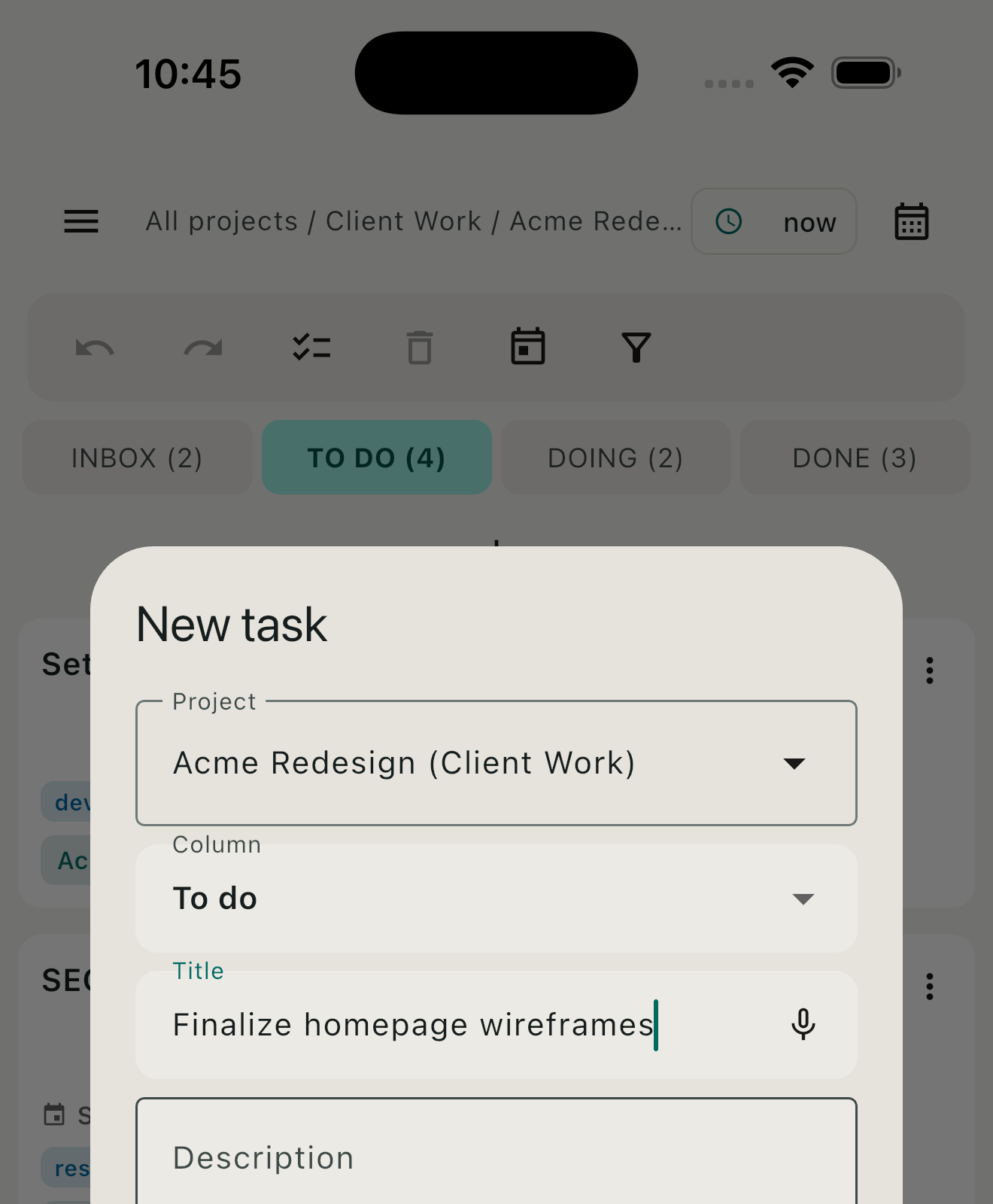
The task you can't write down fast enough is the task you lose. Press ⌥⇧Space anywhere on macOS — even with DoneFast hidden — and a capture box appears over your current app. Or tap the mic and dictate a whole task; DoneFast parses the date, project, and column out of plain speech, all on-device.
- Global hotkey works even when the app is closed
- On-device voice — audio is never sent to a server
- Home-screen quick capture on iOS and Android
Plan across day, week, or month
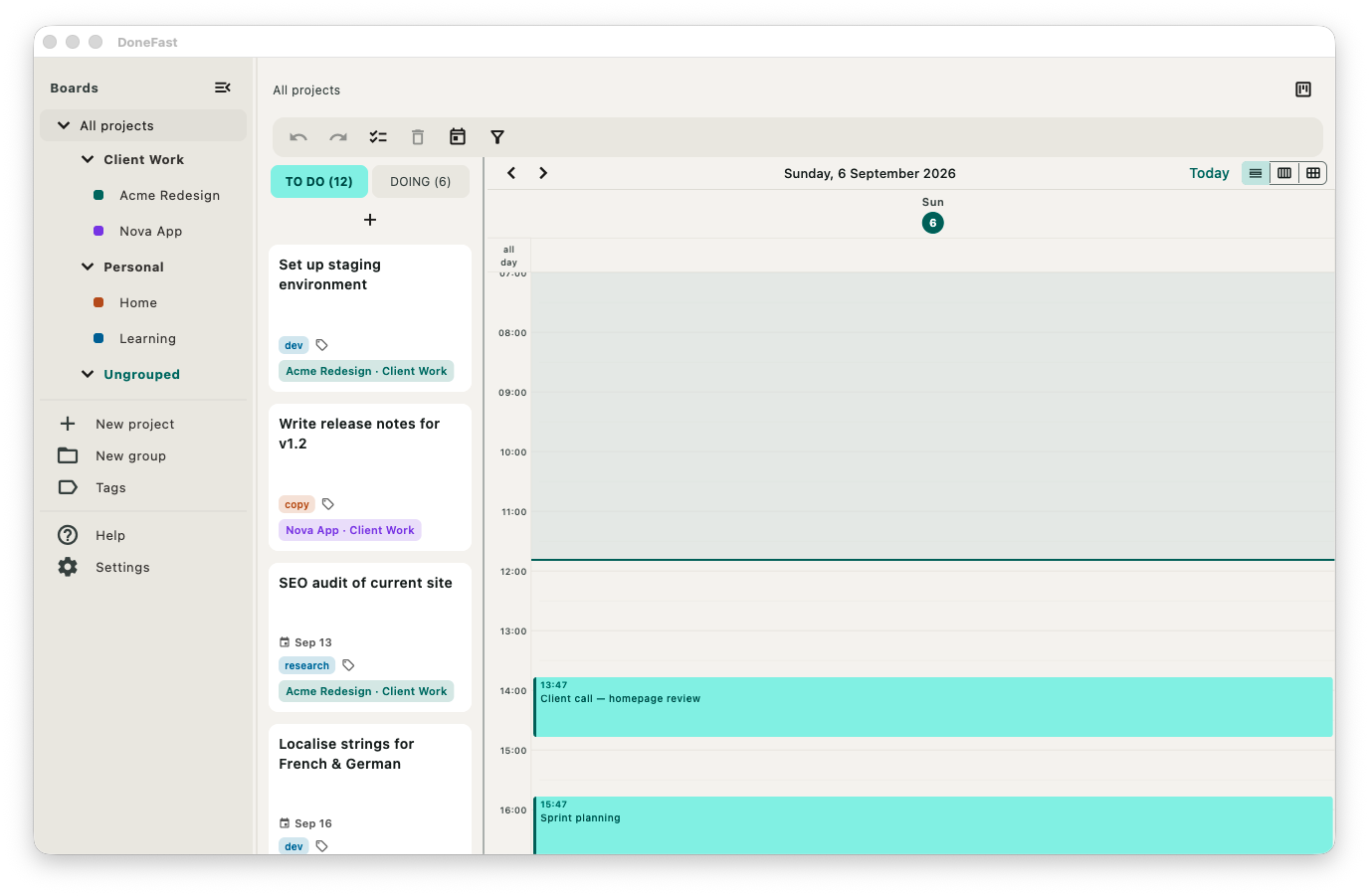
Switch between a single day, a full week, or the whole month, with unscheduled tasks alongside so you can place them without leaving the view. Drag a task onto a day to schedule it, drag it off to send it back to the board — every move undoable.
- Day, week, and month views — day by default
- Drag chips between days to reschedule
- Deadlines fire a reminder even when the app is closed
Built for people who don't want to rent their to-do list
The popular apps are excellent — as long as you accept their account, their cloud, and their subscription. Here's where DoneFast is different.
| Feature | DoneFast | Todoist | Things 3 | Trello |
|---|---|---|---|---|
| Works fully offline, data on your device | ✓ | ✗ | ✓ | ✗ |
| No account required | ✓ | ✗ | ✓ | ✗ |
| One priority order across all projects | ✓ | ✗ | ✗ | ✗ |
| Choose your own sync (or none) | ✓ | ✗ | ✗ | ✗ |
| Native on Mac, iOS and Android | ✓ | ✓ | ✗ | ✓ |
| On-device voice capture | ✓ | ~ | ✗ | ✗ |
| No subscription to keep your data | ✓ | ✗ | ✓ | ~ |
Comparison reflects each app's standard offering. Things 3 is Apple-only; Todoist and Trello store your data on their servers and gate features behind paid tiers.
Your tasks everywhere — three ways, your choicePro
The rest of DoneFast is free; sync is the one Pro feature — a single one-time purchase, no subscription, and no company between you and your data. Pick whichever fits how you already work.
The easiest setup on any device. Connect once; DoneFast reads and writes in a private app folder that doesn't touch your Drive storage or show up in your files.
Already on iCloud Drive, Dropbox, or OneDrive? Point each device at one folder and the cloud you're already paying for does the rest. Nothing new to install.
Run the small open-source server on a home machine or NAS — Docker-packaged, with simple device pairing. Works entirely on your local network, no internet required, each device revocable on its own.
- Edits merge per task, automatically — no "which copy do you want to keep?" dialogs
- Syncs quietly in the background after every change
- Tasks, tags, comments, due dates, and recurring completions all come along
Buy it once. Then it's yours.
The entire app is free — every feature, unlimited projects, on one device. Pro adds one thing: sync across all your devices. Paid once, no subscription, no data on our servers.
Free on one device, forever. No account, no card — the whole app: unlimited projects, groups, recurring tasks, the full board, calendar, Today view, tags, and on-device voice capture.
What's the catch? There isn't one.
There are no ads and nothing to track because there's no server to serve them from — your data lives on your device. It's not a policy, it's how DoneFast is built.
One purchase unlocks Pro on all your Apple devices — Mac, iPhone, and iPad.
- Sync across all your devices
- Google Drive, a shared folder, or your own server
- Unlimited devices — no per-device fee
- No account, nothing on our servers
One purchase unlocks Pro on your Android phone and tablet.
- Sync across all your devices
- Google Drive, a shared folder, or your own server
- Unlimited devices — no per-device fee
- No account, nothing on our servers
Everything in Free and Pro
| Feature | Free | DoneFast Pro — one-time purchase |
|---|---|---|
| macOS, iOS & Android | ✓ | ✓ |
| Projects | ✓ | ✓ |
| Kanban board (Inbox, To do, Doing, Done) | ✓ | ✓ |
| Project groups | ✓ | ✓ |
| Calendar & Today view | ✓ | ✓ |
| Search & tag filtering | ✓ | ✓ |
| Due dates & notifications | ✓ | ✓ |
| Scheduled tasks | ✓ | ✓ |
| Recurring tasks (daily, weekly, monthly, yearly) | ✓ | ✓ |
| On-device voice capture | ✓ | ✓ |
| Task comments | ✓ | ✓ |
| Drag-and-drop, undo/redo, multi-select | ✓ | ✓ |
| Quick-add hotkey (macOS) | ✓ | ✓ |
| Sync (Google Drive, shared folder, self-hosted) | – | ✓ |
One-time purchase, no subscription, nothing stored on our servers. Apple and Android are separate stores, so Pro is unlocked per ecosystem — restore it free on your other devices in the same store.
Native on every screen you use
Real native apps for macOS, iOS, and Android — the same data, the same features, sync entirely optional.
macOS
A native Mac app with keyboard shortcuts, the ⌥⇧Space quick-capture, multi-window, and dock integration.
Coming sooniPhone & iPad
Swipeable columns, home-screen quick capture, and on-device voice — adapts from phone to iPad automatically.
Coming soonAndroid
Phone and tablet, same swipeable layout — with reminders that survive a reboot and fire even when the app is closed.
Coming soonGet notified when DoneFast launches
Leave your email and we'll send you one message when the apps are ready — nothing else.
You're on the list — we'll let you know when it's ready.
No spam. One email when we launch. Unsubscribe any time.
Stop wondering what's next. Just look at the top of the list.
Your projects, one honest priority order, on every device you own — and your data stays yours from the first launch.